Mobile App Builder for Shopify — Turn Your Store Into a Native iOS App With AI (2026)
If you’ve searched for a mobile app builder for Shopify, you’ve seen the same offer for years: pick a template, drag some blocks, pay a monthly fee, and get an app that looks like everyone else’s. The 2026 version is different. An AI mobile app builder reads your store, writes a real native iOS app around it, and lets you change anything by typing a sentence.
Cabano is that builder. It’s listed on the Shopify App Store as Mobile App Builder ‑ Cabano, and this post covers what it builds, how the checkout and payments work, how push notifications and cart recovery are wired in, and what it costs.
The short version: install Cabano from the Shopify App Store, authorize your store, and in a few minutes you have a native iPhone app with your products, collections, search, a persistent bag, and Shopify’s own checkout — plus push notifications and abandoned-bag reminders. You customize it in chat and publish it to the App Store under your own developer account. The first build is free.
What a Shopify mobile app builder should give you
A Shopify mobile app is only worth having if it does the whole job. Here’s what Cabano generates from a fresh install, before you’ve typed a single prompt:
- Your full catalog — products, collections, search, product pages with images, variants, and prices in your store’s currency, paginated so a 3,000-SKU store works as well as a 30-SKU one.
- A persistent bag — quantity controls, removal, sold-out handling, and a cart that survives app restarts and recovers gracefully if Shopify expires it.
- Shopify checkout, natively — the real Shopify checkout presented inside the app through Shopify’s Checkout Kit, so every payment method, discount, and shipping rule your store already has just works. More on this below.
- Push notifications and abandoned-cart recovery — reminders when a shopper leaves items in their bag, and one-tap announcements to everyone who has the app.
- A native iOS 26 app — SwiftUI, Liquid Glass, dark mode, Dynamic Type, VoiceOver. Not a web view of your theme wrapped in an app shell.
- A path to the App Store — TestFlight to your own iPhone, then a full App Store submission, handled from the same screen.
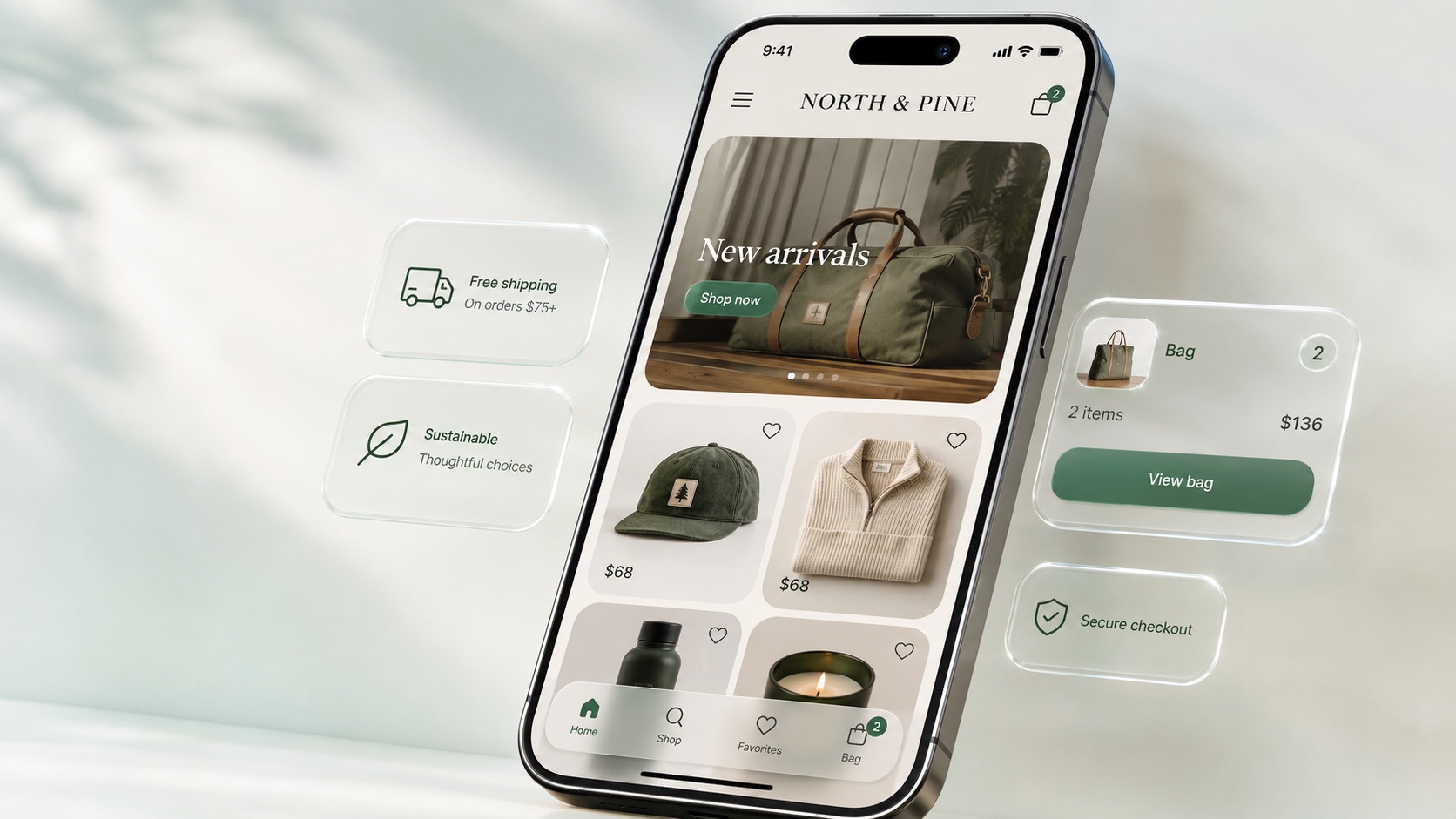
How to turn your Shopify store into a mobile app in minutes
There’s no separate account to create and nothing to install on your computer.
- Install from the Shopify App Store. Open Mobile App Builder ‑ Cabano and press Install. Shopify identifies your store and walks you through authorization.
- Cabano builds the first version automatically. It connects your Storefront API — products, collections, cart, and checkout — and generates a native iOS storefront named after your store. This first build is free.
- Watch it run on a live iPhone. A real iOS simulator streams into your browser. Tap through your catalog, add something to the bag, open checkout. It’s your store, on a phone, before you’ve decided anything.
- Customize by chat. “Match my brand colors.” “Put the new-arrivals collection on the home screen.” “Add a favorites tab.” “Show free-shipping progress in the bag.” Each change is a sentence, and you see the result on the simulator a few minutes later.
- Publish. Connect your Apple Developer account, and Cabano signs, builds, and uploads the app. TestFlight puts it on your own iPhone first; when you’re happy, submit to the App Store.
Step 2 is where the “AI in minutes” claim comes from. You’re not assembling an app — one already exists by the time you’ve read the welcome screen.
Checkout and payments: it’s Shopify’s checkout, inside your app
This is the question every merchant should ask any Shopify app builder: who runs the checkout?
With Cabano, the answer is Shopify. The app uses Shopify’s official Checkout Kit to present your store’s real checkout in a native sheet. That means:
- Every payment method you’ve enabled works — Shopify Payments, Shop Pay, Apple Pay, PayPal, and anything else configured in your admin. Nothing is re-implemented, and no card details ever touch the app or Cabano.
- Discount codes, gift cards, shipping rates, taxes, and local pickup behave exactly as they do on your website, because it’s the same checkout.
- Orders land in your Shopify admin like any other order. Fulfillment, refunds, reporting, and your existing apps see them the same way.
- Checkout preloads while the shopper is still in the bag, so the sheet opens instantly instead of spinning.
Cabano itself only holds a Storefront API token — the public, read-the-catalog kind. It never has Admin access to your customers or orders, and the token is injected at build time rather than written into the app’s source.
Push notifications and abandoned-cart recovery, built in
Apps earn their keep after the install, and on iOS that means push notifications. Cabano ships a complete push system for your store’s app, managed from a panel on the same page where you installed it.
Abandoned-bag reminders. When a shopper adds items to the bag and doesn’t check out, the app sends a reminder after a delay you choose — 30 minutes, an hour, 2 hours, 4 hours, or 24 hours — with a title and message you write. Tapping the notification opens straight to their bag. Before anything sends, Cabano re-checks with Shopify that the bag is still live, so someone who finished the purchase on your website never gets nagged about it.
Announcements. A drop, a sale, a restock: write a title and a message and send it to every subscribed device in one tap.
Done properly on iOS. The permission prompt appears in context, right after the first add-to-bag, rather than ambushing people at launch. You can send yourself a test push, and the panel shows subscribed devices, bags pending a reminder, and sends over the last 30 days.
Push runs on Apple’s own notification service, using an APNs key from your Apple Developer account that you paste in once. Because notifications are delivered by Apple, they work on real iPhones through TestFlight and the App Store — the in-browser simulator preview doesn’t receive them, which is expected.
Native iOS versus template app builders
Most Shopify mobile app builders — Tapcart, Shopney, Vajro, and the rest — give you a configurable app that runs on their platform. That gets you an app quickly, but the design ceiling is the template, and the app is theirs to run.
Cabano generates a native SwiftUI app — a real Xcode project — for your store. The difference shows up in three places:
- Feel. Scrolling, sheets, haptics, the keyboard, and iOS 26’s Liquid Glass design language come from Apple’s frameworks directly. Shoppers can’t name what’s different, but they notice. We wrote up the full argument in Native SwiftUI vs web wrappers.
- Flexibility. Because the app is written, not configured, there’s no feature list you’re limited to. If you can describe it, the AI can build it: a lookbook, a size guide, a loyalty screen, a store locator.
- Ownership. The app publishes under your own Apple Developer account, so the App Store listing, the reviews, and the customer relationship are yours.
It’s worth being clear about scope: Cabano builds iOS apps. If Android on day one is a hard requirement, a cross-platform template builder may fit better today.
What it costs
- Free: Install and get your store’s first native iPhone storefront build, with the live simulator preview.
- Pro — $50/month (or $500/year): Keep customizing by chat, plus App Store and TestFlight publishing.
- Max — $100/month (or $1,000/year): Everything in Pro with a larger generation allowance, priority queue, and engineer support.
Billing runs through Shopify, on your regular Shopify invoice — there’s no separate card to enter. Publishing to a real device also needs an Apple Developer Program membership ($99/year, paid to Apple), which every iOS app requires regardless of how it’s built.
Frequently asked questions
Is Cabano really a no-code mobile app builder for Shopify? Yes. You install it, authorize your store, and customize the app by typing plain-English requests. The AI writes the Swift code. You can read every file it wrote, but you never have to.
Does it work with my existing theme and apps? The app reads your catalog and uses your live checkout, so products, prices, discounts, and payment methods stay in sync automatically. Your theme’s visual design isn’t copied — ask the AI to match your brand colors and style in chat.
How does checkout work in the app? It’s Shopify’s own checkout, shown inside the app via Checkout Kit. Shop Pay, Apple Pay, discount codes, shipping rates, and taxes all work exactly as on your website, and orders appear in your Shopify admin.
Can it send push notifications? Yes — automatic abandoned-bag reminders with a configurable delay and message, plus manual announcements to all subscribed devices. You supply an APNs key from your Apple Developer account.
How long does it take? The first build happens automatically after install and takes a few minutes. Each customization is one chat message and a short rebuild. Publishing to TestFlight is a single step once your Apple Developer account is connected.
Do I need a Mac or Xcode? No. Cabano builds the app on its own macOS machines and streams a real iOS simulator to your browser.
Does it support Android? Not yet — Cabano builds native iOS apps.
Is my customer data safe? Cabano only uses Shopify’s Storefront API — the same public interface your website uses — and never receives Admin access to customers or orders. Payments are handled entirely by Shopify’s checkout.
Get your store’s app
Install Mobile App Builder ‑ Cabano from the Shopify App Store. The first build is free, takes a few minutes, and you’ll be tapping through your own products on an iPhone before you’ve decided whether to keep it.